
How Much Should You Spend on Google Ads in 2026?
You turn on a Google Ads campaign, set a number that feels reasonable. A week later you have no idea if it was the right number. That is the position most small business owners are in, because Google Ads does not tell you what a good google ads budget looks like for your situation. It just spends whatever you allow it to. Before you guess, run your numbers through the Google Ads Budget Calculator so you start with a number grounded in your industry and goals rather than a figure you picked because it sounded safe.
This guide breaks down how much to spend on google ads by business size, how daily and monthly budgets actually relate to each other inside the platform, what a realistic minimum spend looks like, plus how to decide whether that next dollar should go to Google Ads at all instead of SEO.
How Daily Budget and Monthly Spend Actually Relate
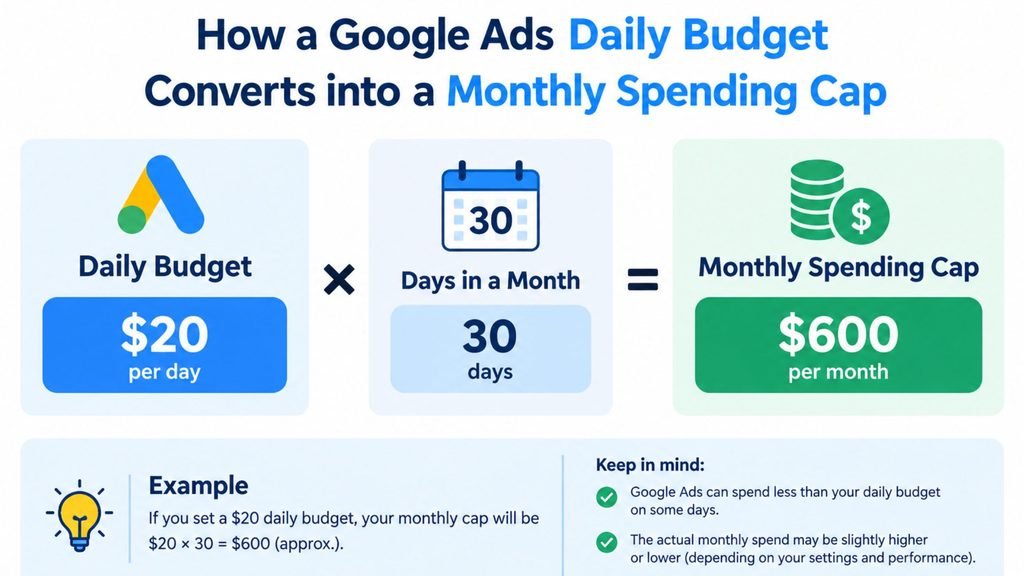
Google Ads runs on a daily budget, not a monthly one. This trips up more advertisers than any other mechanic on the platform. You set a daily figure. Google allows itself to spend up to roughly double that on any single day though when it sees a strong opportunity. Over a full billing cycle, the total still averages out to your daily budget multiplied by 30.4, which is Google’s standard days-per-month multiplier. A $50 daily budget produces a monthly spend of about $1,520, not exactly $1,500. It is not a hard daily cap of exactly $50 either.
This is also where “limited by budget” comes from. When your campaign shows that status, it means Google’s system believes it could generate more conversions if you removed the ceiling. It is not a bug. It is the platform telling you plainly that your google ads budget is smaller than the available opportunity in your market.
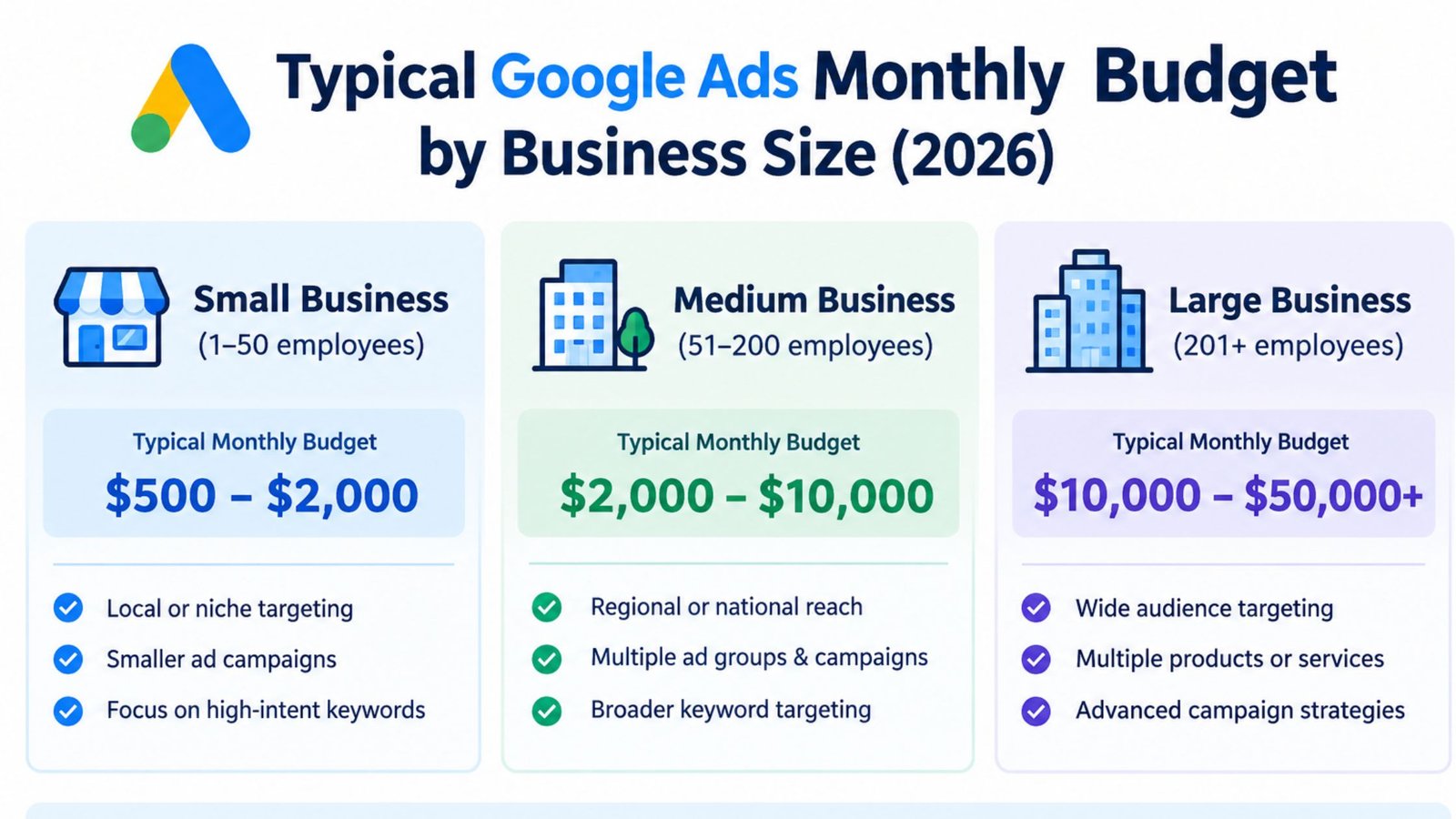
How Much Should You Spend on Google Ads by Business Size
Benchmarks vary by source and method. A consistent picture emerges though once you compare several independent guides:
| Business Size | Typical Monthly Budget | Typical Daily Budget |
|---|---|---|
| Small business | $300 to $1,500 | $10 to $50 |
| Medium business | $1,000 to $3,000 | $35 to $100 |
| Larger or competitive | $5,000 to $10,000+ | $165 to $340+ |
One important caveat sits underneath this table: budgets aimed at Smart Bidding automation specifically tend to need more room to work. Google’s own bidding algorithms need roughly 30 or more conversions a month to optimize properly, which in practice often pushes the practical minimum for a business relying on automated bidding closer to $1,000 to $2,500 a month rather than the lower end of the small-business range above. Below that conversion threshold, campaigns can get stuck cycling through a permanent “learning” phase with unstable, inflated costs.
What a Realistic Minimum Google Ads Spend Looks Like
A commonly cited starting point for testing a new campaign is $10 to $15 a day. That works out to roughly $300 to $450 a month. Below about $5 a day, most campaigns fall under the threshold where Google’s own optimization tools can do much with the data, unless you are in an unusually low-competition, hyper-local niche where clicks are cheap and competition is thin.
The honest answer to “how much to spend on google ads” as a true minimum is: enough to generate a handful of real conversions within your first month, not just clicks. If your average cost per conversion in your industry is $40, a $300 monthly budget gets you roughly seven or eight conversions, which is a reasonable starting sample but not yet enough for full automated optimization. Plan to reassess and likely increase after that first month rather than treating your starting number as permanent.
Google Ads Budget by Industry: Why CPC Changes Everything
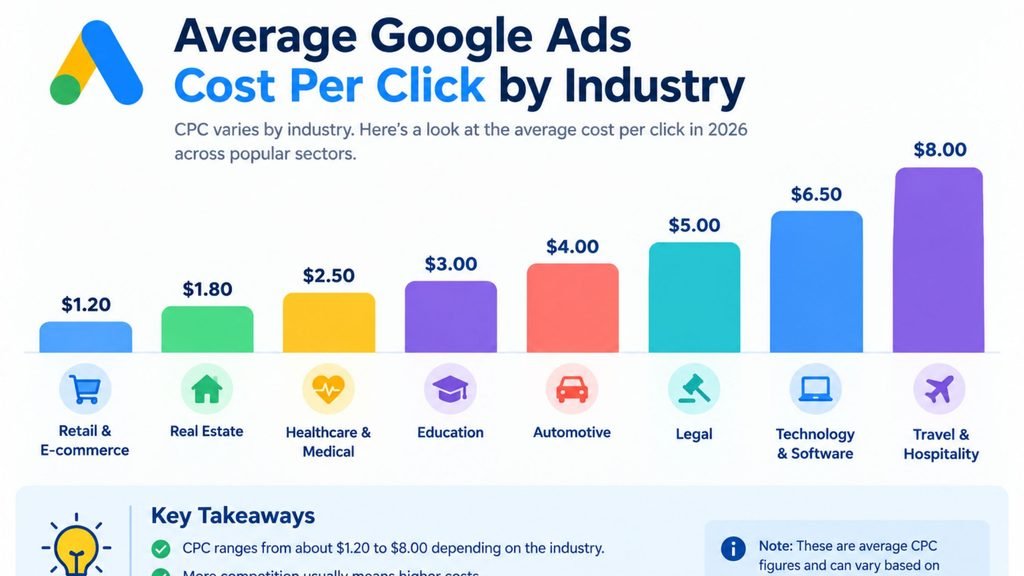
Your google ads budget management strategy depends heavily on what a click costs in your industry, since the same dollar amount buys wildly different volumes of traffic depending on the vertical:
| Industry | Typical CPC | Minimum Practical Monthly Budget |
|---|---|---|
| E-commerce | $1.50 to $4.00 | $1,500 to $3,000 |
| Travel and hospitality | $1.50 to $2.50 | $1,000 to $2,000 |
| B2B software | $15 to $45 | $5,000 to $12,000 |
| Legal services | $45 to $120 | $8,000 to $20,000 |
A legal services firm and an e-commerce store both spending $1,500 a month are in completely different positions. The e-commerce store might see 500 clicks for that spend, while the legal firm might see 15. Advertising budget percentage rules of thumb (commonly cited as 5 to 12 percent of revenue for most small businesses) only work as a starting sanity check, not a substitute for checking your actual industry CPC first.
Setting Up Your Budget: Campaign vs Ad Group Allocation
Once you know your overall google ads budget, the next decision is how to split it. Google Ads lets you set a budget at the campaign level. Within that sits an ad group budget allocation across the different ad groups you are running. A common mistake is spreading a small budget evenly across many ad groups, which starves each one of enough data to perform well. A tighter, more concentrated ad group budget, focused on your two or three best-performing groups, usually outperforms a wide, thin spread on the same total spend.
If you are running Smart Bidding, this concentration matters even more, since the algorithm needs enough volume in each ad group to learn from, not just at the account level.
Google Ads Budget Management: What to Check Weekly
Setting the number once is the easy part. Good google ads budget management is a weekly habit, not a one-time decision:
- Check for “limited by budget” status on every active campaign. If it appears consistently across several weeks, that campaign is a strong candidate for more spend, not a strategy change.
- Review the ad group budget split inside each campaign. An ad group that is quietly outperforming the others should usually get a larger share of the total, not an equal one.
- Watch day-of-week patterns. Many service businesses see stronger conversion rates midweek than on weekends. If your data shows this, a shared budget that automatically shifts spend toward better days will outperform a flat daily number.
- Compare actual spend against your target. A campaign that consistently underspends its daily budget is not saving you money. It usually means your bids or targeting are too narrow to spend what you allocated.
- Revisit your budget every 30 to 60 days, not just when something breaks. Cost per conversion drifts over time as competition changes. A budget that was right three months ago may already be too low.
Seasonal and Promotional Budget Adjustments
Most businesses do not spend the same amount every month. Treating your google ads budget as a fixed number year-round leaves opportunity on the table during your busiest periods. A landscaping company might reasonably double its daily budget from March through June, then scale back over the winter. A retailer might increase spend sharply in the weeks before a major shopping holiday, accepting a temporarily higher cost per conversion in exchange for volume during a short window.
The mechanic for this is simple: change google ads budget levels ahead of a known seasonal shift rather than reacting after a slow month has already happened. If you know your busy season is coming, raise the budget a week or two early so the algorithm has time to adjust and spend efficiently once demand actually arrives.
Worked Example: Budgeting Google Ads for a Local Service Business
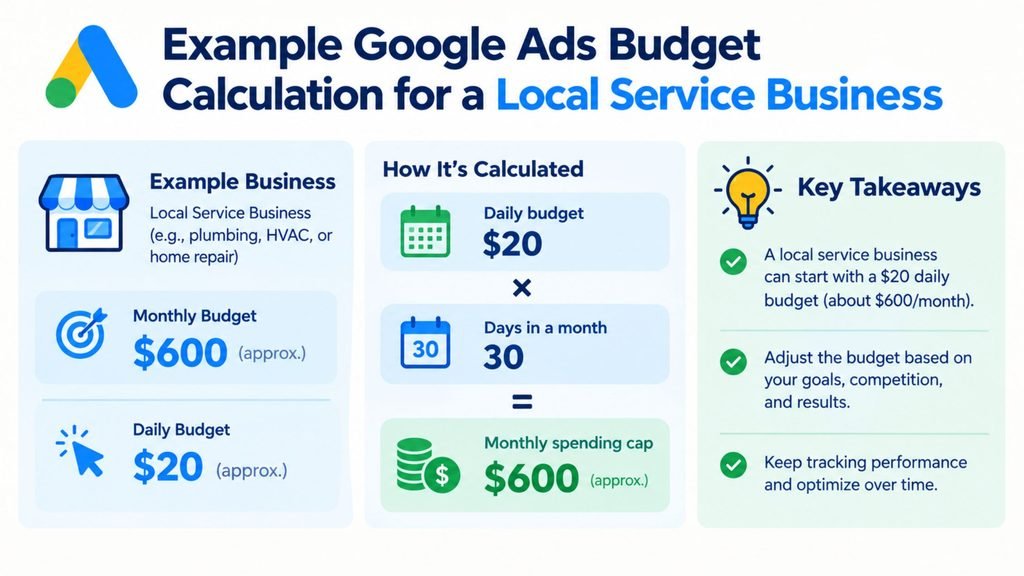
Take a local HVAC company with a $40 average cost per conversion and a goal of 20 new leads a month from paid search.
| Input | Value |
|---|---|
| Business type | Local service business |
| Target conversions | 20 leads per month |
| Average cost per conversion | $40 |
| Calculated monthly budget | $800 (before buffer) |
| Recommended monthly budget with buffer | $950 to $1,000 |
| Recommended daily budget | $31 to $33 |
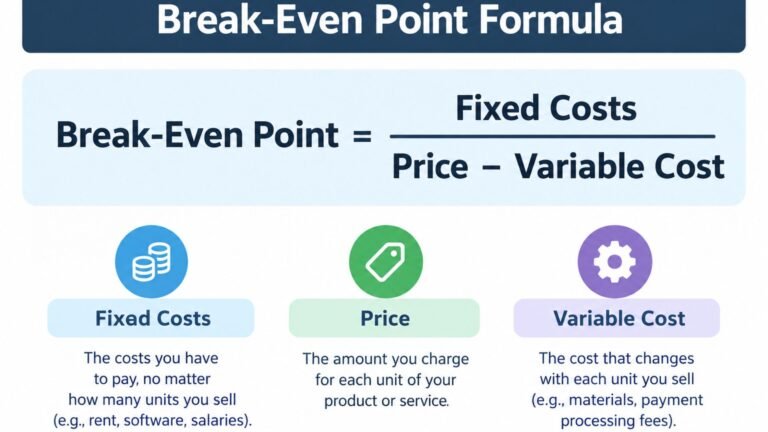
A common formula for this kind of estimate is target conversions multiplied by average cost per conversion, then padded by a buffer of roughly 20 percent to account for normal fluctuation in a given month. That buffer is what turns the raw $800 estimate into the $950 to $1,000 recommended range.
Compare that against a small e-commerce store aiming for 100 online sales a month with an average cost per conversion of $12:
| Input | Value |
|---|---|
| Business type | E-commerce, single online store |
| Target conversions | 100 sales per month |
| Average cost per conversion | $12 |
| Calculated monthly budget | $1,200 (before buffer) |
| Recommended monthly budget with buffer | $1,400 to $1,450 |
| Recommended daily budget | $46 to $48 |
The formula is identical in both cases. What changes is the average google ads budget each business needs, driven almost entirely by cost per conversion in their specific industry. The HVAC company spends less overall but pays more per lead, while the e-commerce store spends more overall but pays less per sale. Neither number is right or wrong on its own. Run your own numbers through the Google Ads Budget Calculator rather than copying either example directly, since your actual cost per conversion will depend on your specific market and competition.
Google Ads or SEO: Which Should Get the Next Dollar
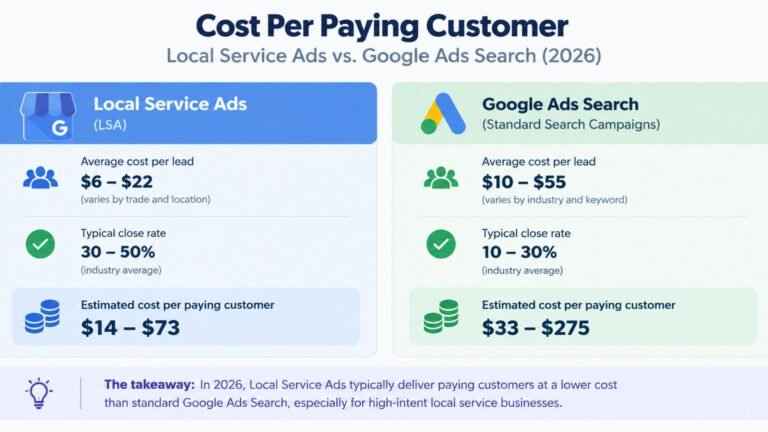
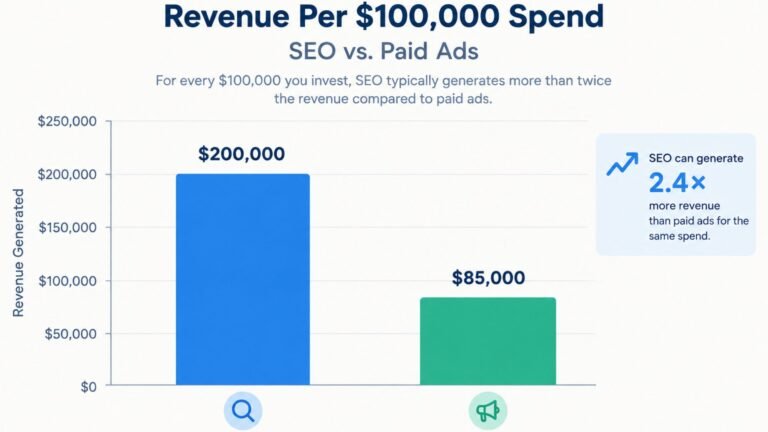
If you are weighing a google ads budget against an SEO budget, the honest answer depends on your timeline, not on which channel is inherently better. Google Ads produces traffic the same day you turn it on. That traffic stops the moment you stop paying though. SEO takes months to build. The cost per lead tends to drop over time though once you rank, without needing to keep paying for each click.
A business needing revenue in the next 30 to 60 days is usually better served putting more of its budget into Google Ads first. A business with an established base and no immediate cash crunch is often better off weighting more toward SEO. Use the SEO Budget Calculator alongside your Google Ads numbers, then compare both against the SEO vs Ads Split Calculator to see which channel is likely to pay back faster given your specific situation, instead of assuming one channel should always come first.
Signs Your Google Ads Budget Needs to Change
- Your campaign consistently shows “limited by budget,” meaning Google believes more spend would produce more conversions.
- You are seeing fewer than 15 conversions a month, which keeps Smart Bidding stuck in a permanent learning phase with unstable costs.
- Your budget is spread across many ad groups, none of which gets enough volume to perform well individually.
- You increased spend but conversions did not move at all, which usually points to a targeting or landing page problem rather than a budget problem.
- You have not changed your budget in six months despite changes in your average cost per conversion.
Common Mistakes When Budgeting for Google Ads
- Setting a budget based on what feels affordable rather than what your actual industry CPC and conversion goals require.
- Treating the daily budget as a hard daily ceiling rather than understanding it averages out to a monthly figure with day-to-day flexibility.
- Splitting a small budget across too many campaigns or ad groups instead of concentrating it where performance is already strongest.
- Judging a new campaign’s success in the first week, before enough data exists for the algorithm to optimize.
- Never revisiting the budget number after the first month, even as cost per conversion and competition shift over time.
Frequently Asked Questions
How much should I spend on Google Ads as a small business?
Most small businesses land between $300 and $1,500 a month, though the right number depends heavily on your industry’s cost per click and how many conversions you need to hit your goals.
What is a good daily budget for Google Ads?
A daily budget of $10 to $50 a day is typical for a small business, keeping in mind that Google can spend up to roughly double that on a strong day, averaging out to about 30.4 times your daily figure over a full month.
What does “limited by budget” mean in Google Ads?
It means Google’s system believes it could generate more conversions for you if your budget were higher. It is a signal to consider increasing spend, not an error to fix.
Is there a real minimum budget for Google Ads?
There is no platform-enforced minimum. A practical starting point though is $10 to $15 a day. Below about $5 a day, most campaigns cannot generate enough data for meaningful optimization outside very low-competition niches.
Should I spend more on Google Ads or on SEO?
It depends on your timeline. Google Ads produces immediate traffic that stops when you stop paying, while SEO takes months to build but tends to lower your cost per lead over time. Businesses needing fast revenue usually lean toward ads first, while established businesses often lean toward SEO.
How do I know if my Google Ads budget is too low?
Watch for a persistent “limited by budget” status, fewer than 15 conversions a month or a budget spread thinly across many ad groups. Any of these suggest the number needs to go up, not that the campaign itself is failing.
Should I change my Google Ads budget for busy seasons?
Yes, in most cases. If your business has a predictable busy period, raising your budget a week or two ahead of it gives the algorithm time to adjust and spend efficiently once demand arrives, rather than reacting after the season has already started.
How often should I review my Google Ads budget management?
Check performance weekly for warning signs like “limited by budget” status or uneven ad group budget allocation. Only make major budget changes every 30 to 60 days though. Adjusting too frequently prevents Google’s bidding algorithm from stabilizing long enough to optimize properly.
One Comment